 Skip to content
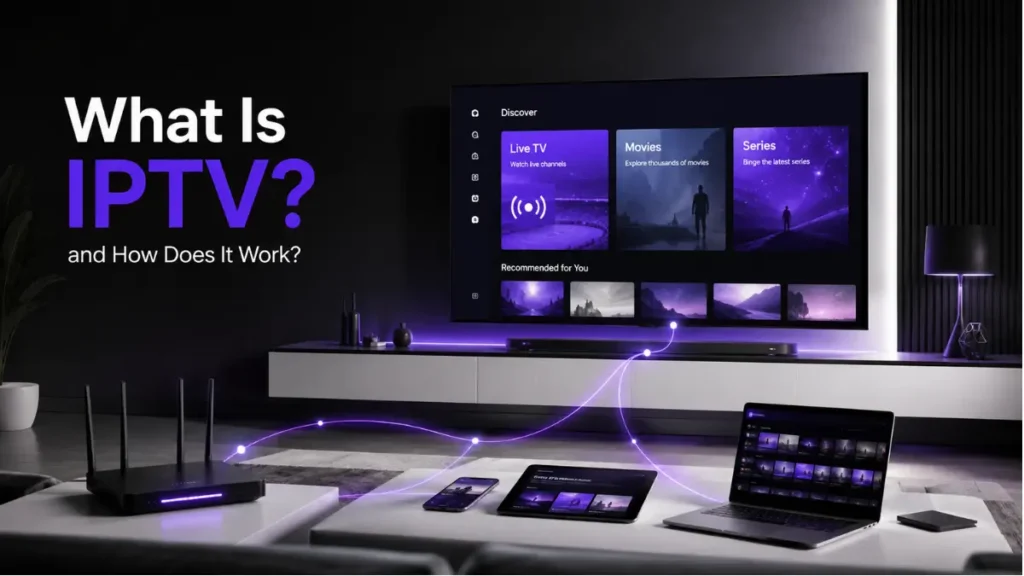
Have you ever wondered how your favorite TV channels reach your screen without a traditional cable box? The answer lies in IPTV technology, which has transformed how millions of people watch television worldwide.
Instead of receiving TV signals through satellite dishes or cable lines, IPTV uses your internet connection to stream content directly to your device. This shift represents a fundamental change in broadcast technology.
In this guide, you’ll discover exactly how IPTV works, from the moment content leaves the broadcaster to when it appears on your screen. We’ll break down the technical process into simple terms anyone can understand.
What Does IPTV Actually Mean?
IPTV stands for Internet Protocol Television. The name itself reveals how the technology functions.
Traditional television relies on satellite signals or cable infrastructure to broadcast content. IPTV, however, uses the same internet protocol that powers websites, emails, and online services.
This fundamental difference changes everything about how content reaches viewers. Instead of broadcasting signals to everyone simultaneously, IPTV delivers specific content streams to individual users on demand.
The technology packages TV content into data packets, similar to how files transfer across the internet. Your device receives these packets, reassembles them, and displays the video in real-time.
The Three Main Types of IPTV Services
IPTV isn’t just one single service. It encompasses three distinct delivery methods, each serving different viewing preferences.
Live Television
Live IPTV works similarly to traditional broadcast TV. You watch programs as they air in real-time.
Sports events, news broadcasts, and live shows use this format. The content streams continuously, with minimal delay between the actual broadcast and what you see.
Video on Demand (VOD)
VOD gives you complete control over what you watch and when. Think of services like movie libraries where you select content from a catalog.
This format stores content on servers. When you make a selection, the system streams that specific file to your device.
Time-Shifted Media
This technology lets you watch previously aired content. It’s like having a DVR built into the streaming service.
You can pause live TV, rewind broadcasts, or watch shows from earlier in the day. The system records broadcasts temporarily so you can access them when convenient.

How IPTV Works: The Complete Streaming Process
Understanding how IPTV works requires following the content journey from source to screen. Let’s break down each step in this fascinating process.
Step 1: Content Acquisition
Everything starts with content sources. Broadcasters, sports networks, and content creators produce the original programming.
IPTV providers obtain rights to distribute this content. They establish connections with broadcasters, either through licensing agreements or direct feeds.
Live channels send continuous signals to the IPTV provider’s infrastructure. Pre-recorded content gets stored in digital libraries for on-demand access.
Step 2: Content Processing and Encoding
Raw video signals aren’t ready for internet transmission. They require significant processing first.
The provider converts broadcast signals into digital formats. This encoding process compresses video files while maintaining quality.
Different compression standards exist, with H.264 and H.265 being most common. These codecs reduce file sizes dramatically, making streaming over internet connections feasible.
Multiple quality versions get created simultaneously. This allows the system to adjust stream quality based on your internet speed.
Step 3: Content Storage and Management
Processed content moves to powerful server systems. Live channels require minimal storage since they stream in real-time.
VOD content needs substantial storage infrastructure. Providers maintain massive digital libraries containing thousands of hours of programming.
Content management systems organize everything. They track available programs, schedule live streams, and manage user access permissions.
Step 4: Distribution Network Setup
This stage involves the infrastructure that delivers content to your region. Providers use Content Delivery Networks (CDNs) to optimize streaming performance.
CDNs place servers strategically across different geographic locations. When you request content, it streams from the server closest to you.
This proximity reduces latency and buffering. It’s why IPTV can deliver smooth, high-quality streams even during peak viewing hours.
The FCC provides detailed information about internet streaming infrastructure and how it impacts service quality.
Step 5: User Request Processing
When you select a channel or program, your device sends a request to the IPTV server. This happens in milliseconds.
The system authenticates your credentials and checks your subscription permissions. It verifies you have access to the requested content.
Once approved, the server initiates the streaming process for your specific device. Each viewer receives an individual stream, not a broadcast signal.
Step 6: Streaming to Your Device
Here’s where the magic happens. The server begins sending video data packets through your internet connection.
Your device receives these packets continuously. A buffer temporarily stores incoming data to ensure smooth playback.
The IPTV application decodes the compressed video and displays it on your screen. This entire process happens in real-time with minimal delay.
Adaptive bitrate streaming adjusts quality automatically. If your internet speed fluctuates, the stream quality changes to prevent interruptions.

The Technology Behind IPTV Streaming
Several key technologies work together to make IPTV function smoothly. Understanding these components reveals why IPTV performs differently than traditional TV.
Internet Protocol: The Foundation
IP technology forms the backbone of IPTV systems. It defines how data packets travel across networks.
Each data packet contains a portion of the video stream plus routing information. This allows networks to deliver packets efficiently, even across vast distances.
The protocol ensures packets arrive in the correct order. If any packets get lost during transmission, the system requests replacements.
Middleware: The Control Center
Middleware acts as the bridge between content servers and user devices. It manages everything from authentication to channel guides.
This software layer creates the interface you see when browsing channels. It handles your requests and communicates with backend systems.
Quality middleware makes the difference between a smooth user experience and a frustrating one. It processes commands quickly and manages resources efficiently.
Set-Top Boxes and Applications
Users need compatible devices to receive IPTV streams. Dedicated set-top boxes connect to televisions and decode incoming streams.
Modern smart TVs include IPTV capabilities built-in. Mobile apps extend access to smartphones and tablets.
These applications handle stream decoding, display management, and user interaction. They’re specifically designed to process IPTV protocols efficiently.
For proper functionality, understanding IPTV installation requirements helps ensure optimal performance.
Multicast and Unicast Delivery
IPTV uses two primary delivery methods depending on the content type.
Multicast sends one stream that multiple users can access simultaneously. This works well for popular live channels where many viewers watch the same content.
Unicast creates individual streams for each viewer. VOD content always uses unicast since everyone watches different programs.
Providers balance these methods to optimize bandwidth usage. Smart systems switch between multicast and unicast based on demand.
Internet Requirements for IPTV

How IPTV works depends heavily on your internet connection. The quality and reliability of your service directly impact viewing experience.
Bandwidth Needs
Different stream qualities require different speeds. Standard definition streams need approximately 4-6 Mbps.
High definition content requires 8-10 Mbps for smooth playback. Ultra HD or 4K streams demand 25 Mbps or higher.
These are minimum speeds per stream. Multiple simultaneous streams require proportionally more bandwidth.
According to the FCC’s broadband speed guide, consistent speeds matter more than peak speeds for streaming stability.
Connection Stability
Speed isn’t everything. Connection stability prevents buffering and interruptions.
Fluctuating speeds cause quality drops and loading pauses. A stable 10 Mbps connection outperforms an unstable 50 Mbps connection for streaming.
Wired connections typically provide more stability than wireless ones. Ethernet cables deliver consistent performance without interference.
Latency Considerations
Latency measures the delay between requesting content and receiving it. Low latency ensures responsive channel changes and minimal delays.
Live sports and interactive content particularly benefit from low latency. High latency creates noticeable delays between real-time events and your screen.
Quality IPTV services use infrastructure designed to minimize latency. Server proximity and efficient routing keep delays under 50 milliseconds.
IPTV vs Traditional Cable and Satellite TV
Understanding how IPTV works becomes clearer when compared to traditional broadcasting methods.
Delivery Method Differences
Cable TV sends signals through coaxial cables to all subscribers simultaneously. You receive all channels constantly, whether you watch them or not.
Satellite TV broadcasts signals from space-based transmitters. Dishes receive these signals and convert them for your television.
IPTV sends only the specific content you request through internet connections. This on-demand approach uses bandwidth more efficiently.
Infrastructure Requirements
Traditional services require specialized infrastructure. Cable companies install extensive physical networks throughout service areas.
Satellite providers maintain expensive orbital equipment and ground stations. These systems represent massive capital investments.
IPTV leverages existing internet infrastructure. Providers don’t need proprietary cables or satellites, reducing infrastructure costs significantly.
Content Flexibility
Cable and satellite follow fixed programming schedules. Channels broadcast according to predetermined timetables.
IPTV offers greater flexibility. Live channels still follow schedules, but VOD and time-shifting features provide viewing freedom.
This flexibility extends to device compatibility. Traditional services typically require specific receivers, while IPTV works across multiple device types.
Quality and Reliability
Traditional broadcasting often delivers consistent quality regardless of other factors. The signal either works or doesn’t.
IPTV quality depends on internet connection performance. Better connections enable higher quality streams with fewer interruptions.
Weather affects satellite TV significantly. Heavy rain or snow can disrupt signals. IPTV remains unaffected by weather since it uses underground or protected internet infrastructure.
The Role of Protocols in IPTV Delivery
Technical protocols govern how IPTV works behind the scenes. These standardized methods ensure compatibility and reliable performance.
HTTP and HTTPS Streaming
Many IPTV services use HTTP-based streaming protocols. This method breaks content into small chunks that download sequentially.
HTTPS adds encryption for security. It protects streams from interception and ensures content reaches intended recipients only.
These protocols work well across different networks and devices. Most internet infrastructure optimizes HTTP traffic for fast delivery.
RTSP and RTP Protocols
Real-Time Streaming Protocol (RTSP) controls media servers. It manages playback commands like play, pause, and stop.
Real-Time Transport Protocol (RTP) actually delivers the audio and video data. These protocols work together for live streaming.
They’re particularly effective for live broadcasts where timing matters. The protocols minimize latency and synchronize audio with video precisely.
HLS and MPEG-DASH
HTTP Live Streaming (HLS) and MPEG-DASH represent newer adaptive streaming technologies. They automatically adjust quality based on connection speed.
These protocols divide content into short segments. The player downloads segments at the highest quality your connection supports.
If bandwidth decreases, the system switches to lower quality segments without interrupting playback. This creates smoother viewing experiences across varying network conditions.
The Internet Engineering Task Force provides technical documentation on these streaming protocols and their implementation standards.
Security and Content Protection in IPTV
Understanding how IPTV works includes knowing how providers protect content and user data.
Encryption Methods
Providers encrypt streams to prevent unauthorized access. This scrambles the data so only authorized devices can decode it.
Advanced Encryption Standard (AES) is commonly used. It provides strong protection while maintaining streaming performance.
Your device receives decryption keys after authentication. Without these keys, intercepted streams remain unviewable.
Digital Rights Management (DRM)
DRM systems protect copyrighted content from piracy. They control how users access and use streamed content.
These systems prevent unauthorized recording, sharing, or redistribution. They track content usage and enforce licensing restrictions.
Multiple DRM standards exist, including Widevine, PlayReady, and FairPlay. Different devices support different DRM systems.
User Authentication
Secure login systems verify user identities before granting access. Username and password combinations provide basic protection.
More advanced systems use two-factor authentication. This adds extra security layers beyond simple passwords.
Session tokens maintain secure connections during viewing. They prevent account hijacking while you stream content.
Common IPTV Technical Challenges
Even when you understand how IPTV works, technical issues can arise. Recognizing common problems helps resolve them quickly.
Buffering and Interruptions
Buffering occurs when your device can’t download data fast enough to maintain playback. The video pauses while more content loads.
This usually indicates insufficient bandwidth or network congestion. Too many devices using the same connection can cause buffering.
Distance from your router affects wireless connections. Physical obstacles like walls weaken signals, reducing effective speed.
Stream Quality Fluctuations
Automatic quality adjustments help maintain continuous playback but can be noticeable. The picture may become less sharp during bandwidth limitations.
Network congestion during peak hours causes quality drops. Internet Service Providers sometimes throttle streaming traffic during high-demand periods.
Server overload can also reduce quality. If too many users access the same content simultaneously, individual stream quality may decrease.
Compatibility Issues
Not all devices support every IPTV format and protocol. Older equipment may lack necessary codecs or processing power.
Software updates sometimes introduce compatibility problems. An app that worked perfectly might malfunction after an update.
Regional restrictions can prevent access to certain content. Licensing agreements often limit where specific programs can stream.
Latency in Live Broadcasts
IPTV inherently introduces slight delays compared to traditional broadcasting. Processing, encoding, and transmission all add seconds.
This becomes noticeable during live sports when you hear neighbors react before seeing the play yourself. The delay typically ranges from 10 to 45 seconds.
Providers continuously work to reduce this latency. Newer protocols and improved infrastructure gradually minimize delays.
The Future of IPTV Technology
How IPTV works continues evolving as technology advances. Several trends are shaping the future of internet television.
5G Integration
Fifth-generation mobile networks promise dramatically faster speeds and lower latency. This opens new possibilities for mobile IPTV streaming.
5G enables high-quality streams on smartphones without WiFi. The technology could make mobile IPTV as reliable as home streaming.
Reduced latency brings IPTV closer to real-time performance. This particularly benefits live sports and interactive content.
Artificial Intelligence Enhancement
AI algorithms optimize streaming quality dynamically. They predict network conditions and adjust streams proactively rather than reactively.
Content recommendation systems become more sophisticated. They learn viewing preferences and suggest relevant programs more accurately.
Automated content analysis enables better search functionality. You can find programs by describing scenes or themes rather than remembering exact titles.
Enhanced Interactive Features
Future IPTV systems will offer greater interactivity. Viewers might choose camera angles during sports events or access additional information during programs.
Integration with smart home systems creates unified entertainment ecosystems. Voice commands could control playback across all devices seamlessly.
Social features may allow shared viewing experiences despite physical distance. Friends could watch together virtually with synchronized streams.
Practical Tips for Optimal IPTV Performance
Knowing how IPTV works helps you optimize your setup for the best possible experience.
Network Optimization
Use wired Ethernet connections whenever possible. They provide more stability and higher speeds than wireless connections.
Position wireless routers centrally in your home. Minimize physical obstacles between the router and streaming devices.
Prioritize streaming traffic through Quality of Service (QoS) router settings. This ensures IPTV receives bandwidth priority over less time-sensitive activities.
Device Maintenance
Keep streaming applications updated. Developers regularly release improvements that enhance performance and fix bugs.
Restart devices periodically. This clears memory caches and resolves minor software glitches that accumulate over time.
Close unnecessary background applications. They consume processing power and bandwidth that could support smoother streaming.
Connection Testing
Regularly test your internet speed. This helps identify connection issues before they severely impact viewing quality.
Check speeds at different times of day. Identify peak congestion periods when performance typically decreases.
Contact your Internet Service Provider if speeds consistently fall below subscribed levels. They can diagnose line issues or equipment problems.
Conclusion
Understanding how IPTV works reveals the impressive technology behind modern television streaming. The process involves sophisticated content acquisition, processing, distribution, and delivery systems working seamlessly together.
IPTV represents a fundamental shift from traditional broadcasting methods. It offers greater flexibility, broader device compatibility, and more personalized viewing experiences.
The technology continues advancing rapidly. Improvements in internet infrastructure, streaming protocols, and smart devices constantly enhance IPTV performance.
While technical challenges occasionally arise, proper setup and maintenance ensure reliable, high-quality streaming. As internet speeds increase and technology evolves, IPTV will only become more capable and accessible.
Whether you’re new to IPTV or seeking deeper understanding, knowing how the technology works empowers you to make better viewing choices and troubleshoot issues effectively.
